Creating In-App Content
The In-App Content feature enables you to deliver targeted messages and interactive content directly within your mobile app. This includes elements like banners, pop-ups, and other notifications designed to engage users, promote offers, and drive conversions
How to Access and Create In-App Content
- Access In-App Content:
- Go to Content > Marketing > In-App.
- Create New In-App Content:
- Click the New button in the top-right corner.
- Choose Content Type:
- After clicking New, select from the two options:
- Visual Editor: Choose this option to create pop-ups, banners, and more using a variety of templates, including layouts for story, and surveys.
- HTML Editor: Choose this option if you prefer to design the layout from scratch using custom HTML code.\
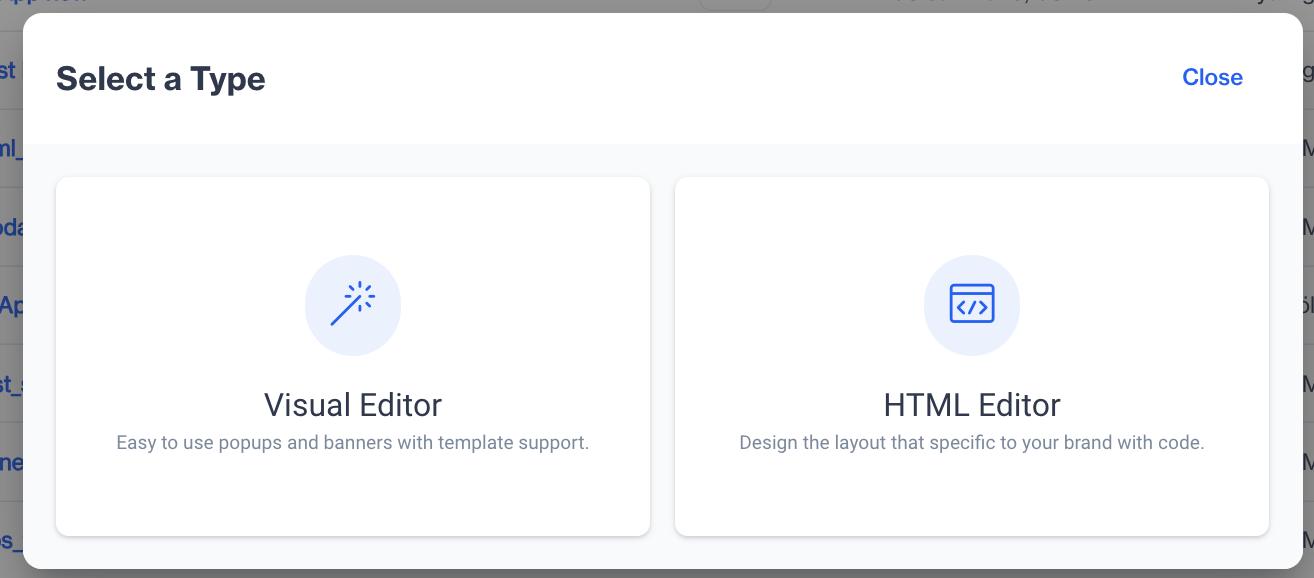
Visual & HTML Editors
Visual Editor for In-App Content
The Visual Editor for In-App Content allows users to easily create engaging in-app messages by selecting from a variety of templates. It includes sections like Blank Layout, Feedback, and Inline Personalization, making it simple to design modals, surveys, inline content, and more.
HTML Editor for In-App Content
The HTML Editor for In-App Content allows you to design and customize layouts using HTML code. With full control over layout and design, you can tailor each element to fit your brand identity.
Related Articles
Creating Push Content
The Push Content section allows users to create push notifications in a straightforward way. Push notifications are created in a single format, ensuring simplicity and efficiency in the content creation process. Users can define the message content, ...Dynamic Content & Customization
What is dynamic content? Dynamic content refers to content that adapts based on user data, preferences, or behaviors. Unlike static content, dynamic content is flexible and responsive, allowing users to display personalized information for different ...Directly on Content
Once your push notification content is successfully generated, you can make any necessary changes and save it as a draft for later use. If you’re ready to launch, publish the content to prepare it for your push campaigns. To create a campaign ...In-App Builder
The In-App Builder is a new feature that introduces a drag-and-drop interface for creating in-app content. It allows users to design banners, modals, and more using a simple visual editor, without the need for HTML or coding skills. How to Access ...In-App Preview and Testing
Once you’ve created your in-app content, it's essential to verify its appearance and functionality before finalizing. Preview While creating in-app content, you can view a real-time preview on the right side of the screen. This lets you see how the ...