Mixpanel
Mixpanel is a leader in the product analytics space, that provides real-time insights into app/website interactions and leverages brands to devise effective marketing strategies according to their customer behavior.
D·engage provides an out-of-the-box integration with Mixpanel that enables you to export Cohorts as Static Lists while creating segments. This integration makes it possible to engage cohort users with highly targeted & personalized messages through their preferred channel.
Prerequisites
Before starting the integration, ensure the following:
- You have a Mixpanel account
Register at: https://mixpanel.com/register/ - Your Mixpanel account is subscribed to at least the Growth plan
Note: The Basic plan does not support API communication.
Step 1: Generate Mixpanel Credentials
1.1 Access Organization Settings
- Log in to the Mixpanel portal.
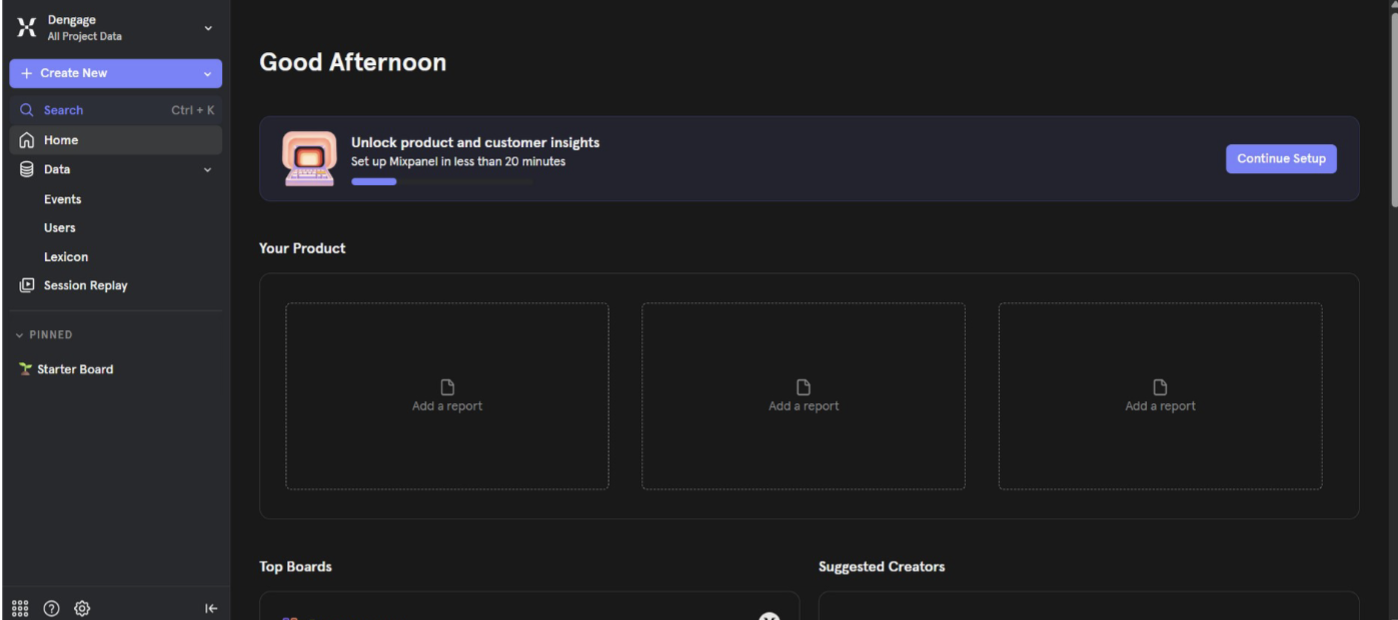
Mixpanel Portal
- Click the gear icon at the bottom-left corner.
- Hover over Settings.
- Select Organization Settings.
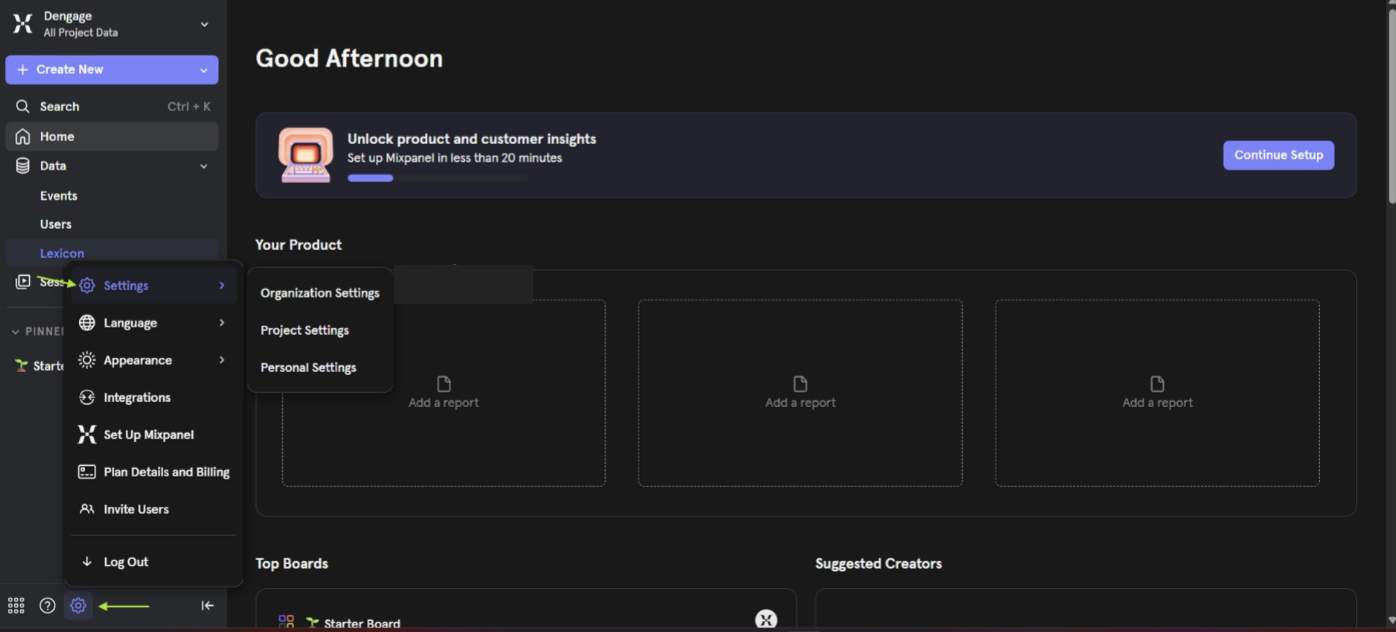
Organization Settings
1.2 Create a Service Account
- In Organization Settings, select Service Accounts.
- You will see a list of existing service accounts.
- If no service account exists, click Add Service Account to create one.
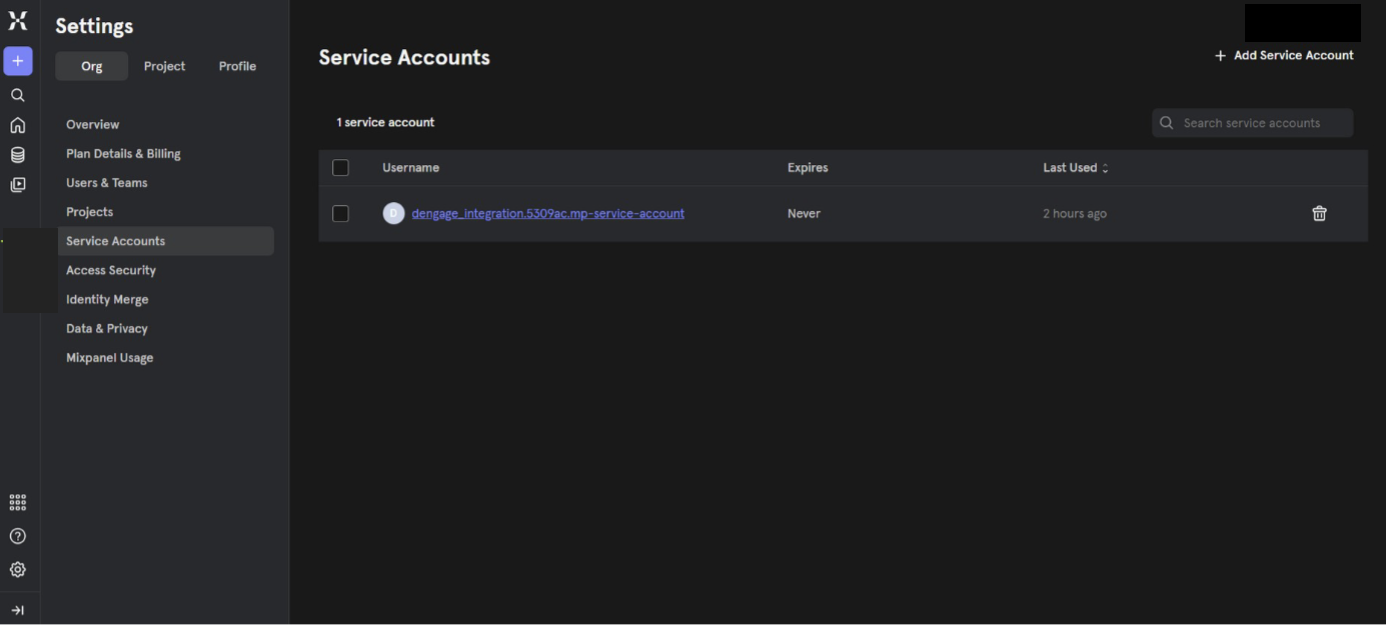
Add Service Account
- Once created, save the username and password.
These credentials will be required during Dengage configuration.
Step 2: Retrieve Project Information
- Go to Settings again.
- Select Project Settings.
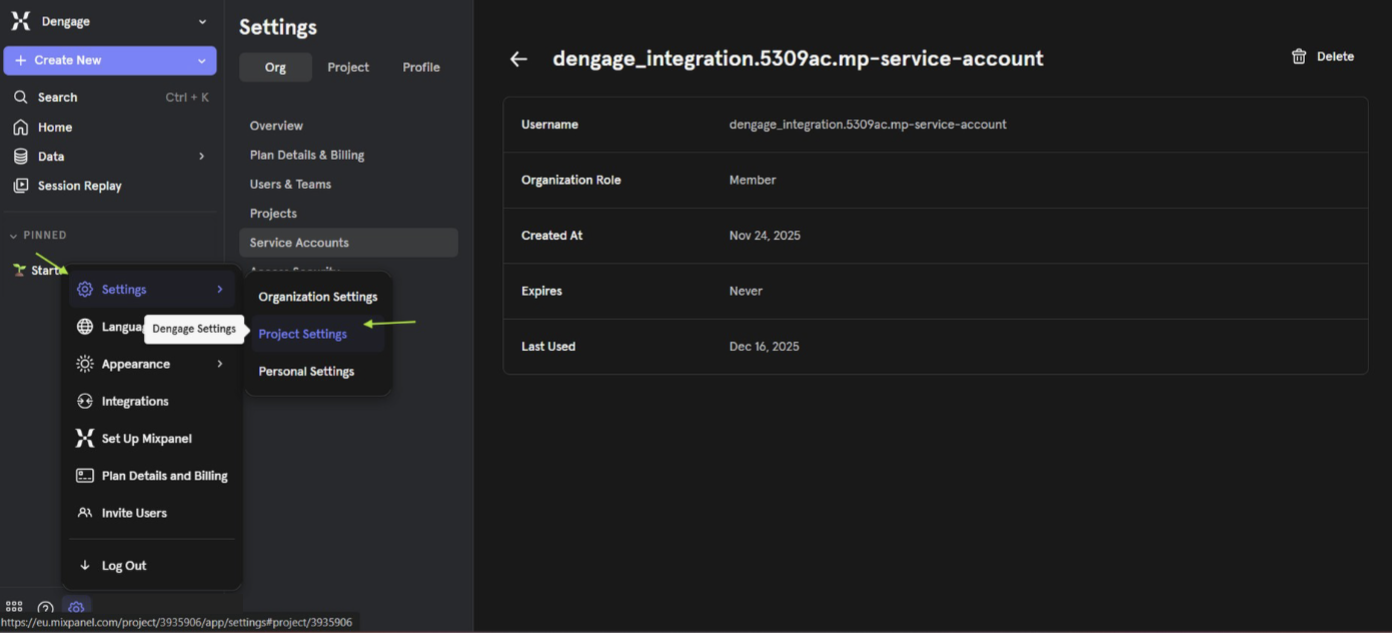
Project Settings
- Copy the following values:
- Project ID
- Access URL
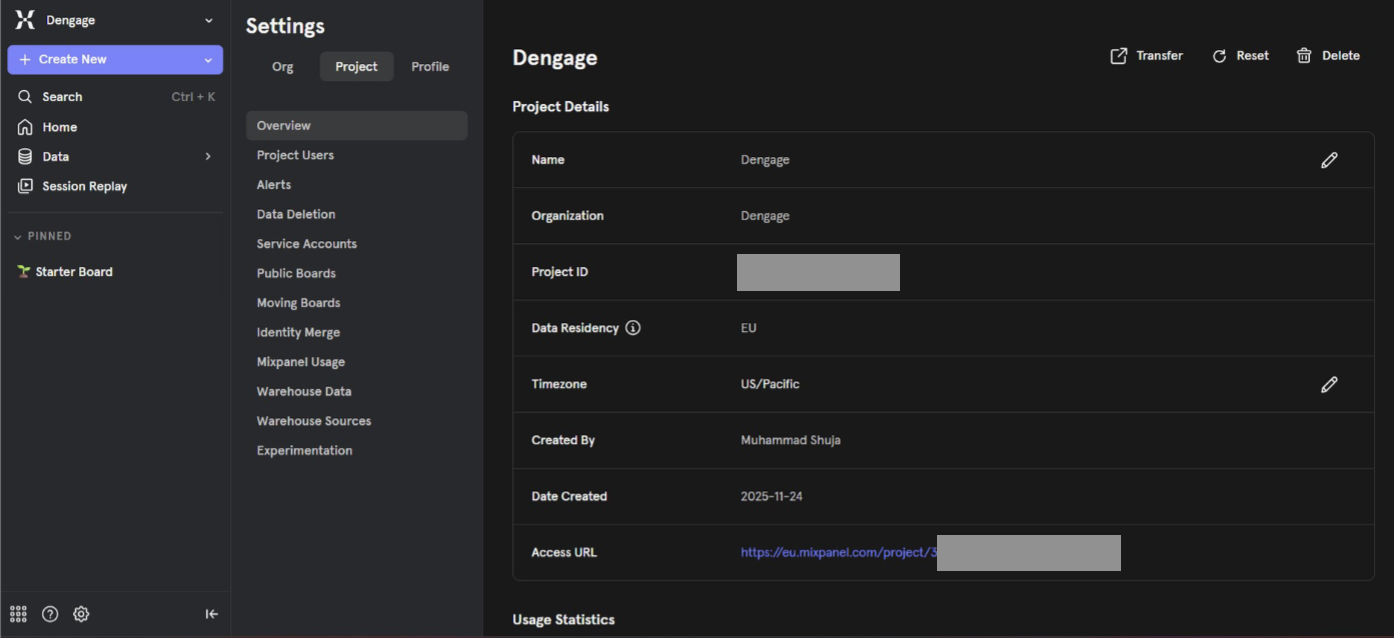
Project ID & Access URL
These values are required to complete the integration with Dengage.
Step 3: Create Required Tables in Dengage
Before completing the integration, two required tables must be created in Dengage platform.
- Create the tables exactly as defined in the provided screenshots.
- These tables will be used by the Mixpanel integration for data synchronization.
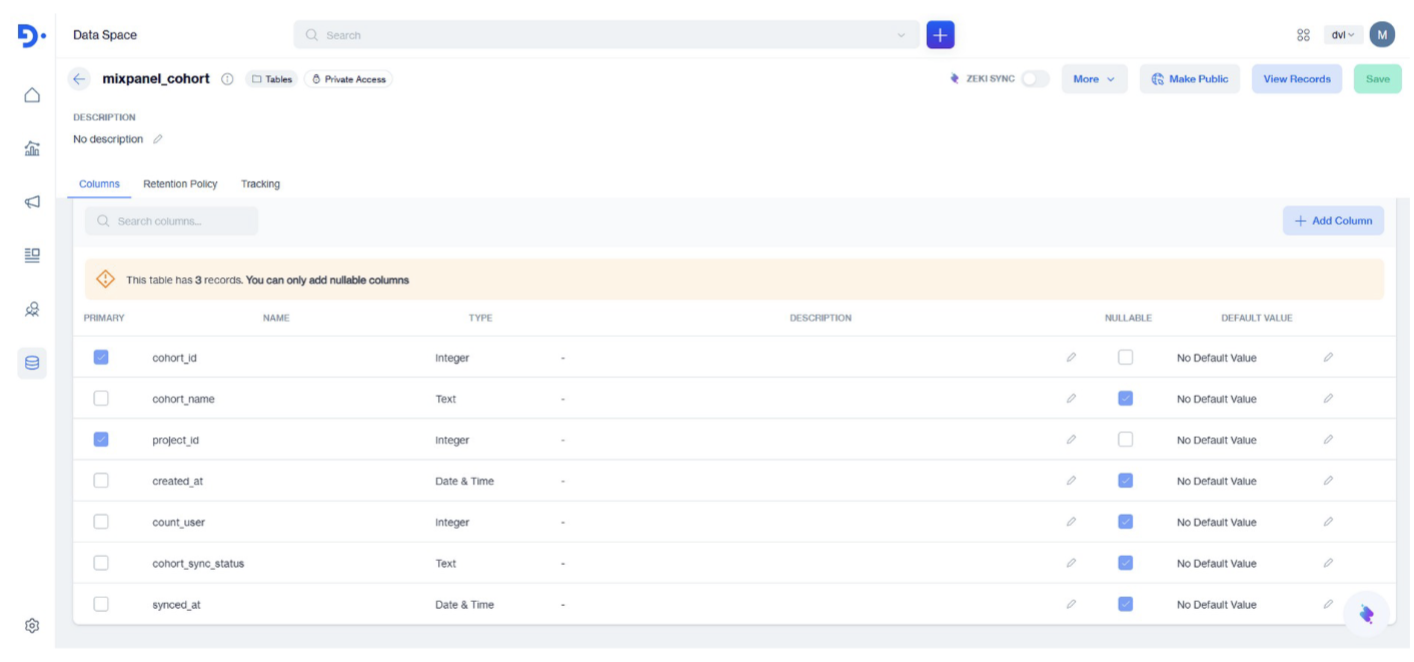
Mixpanel Cohort Table
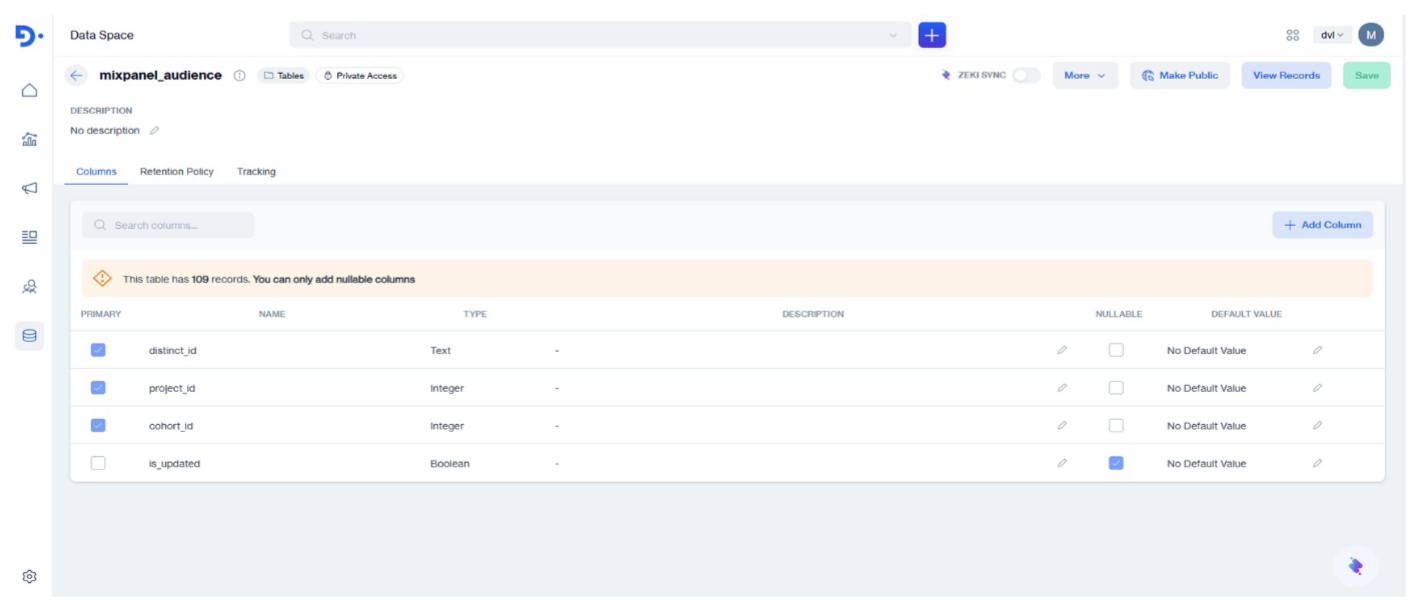
Mixpanel Audience Table
Step 4: Connect Mixpanel in Dengage
- Log in to Dengage platform.
- Navigate to: Settings > 3rd Party Integrations
- Select Mixpanel.
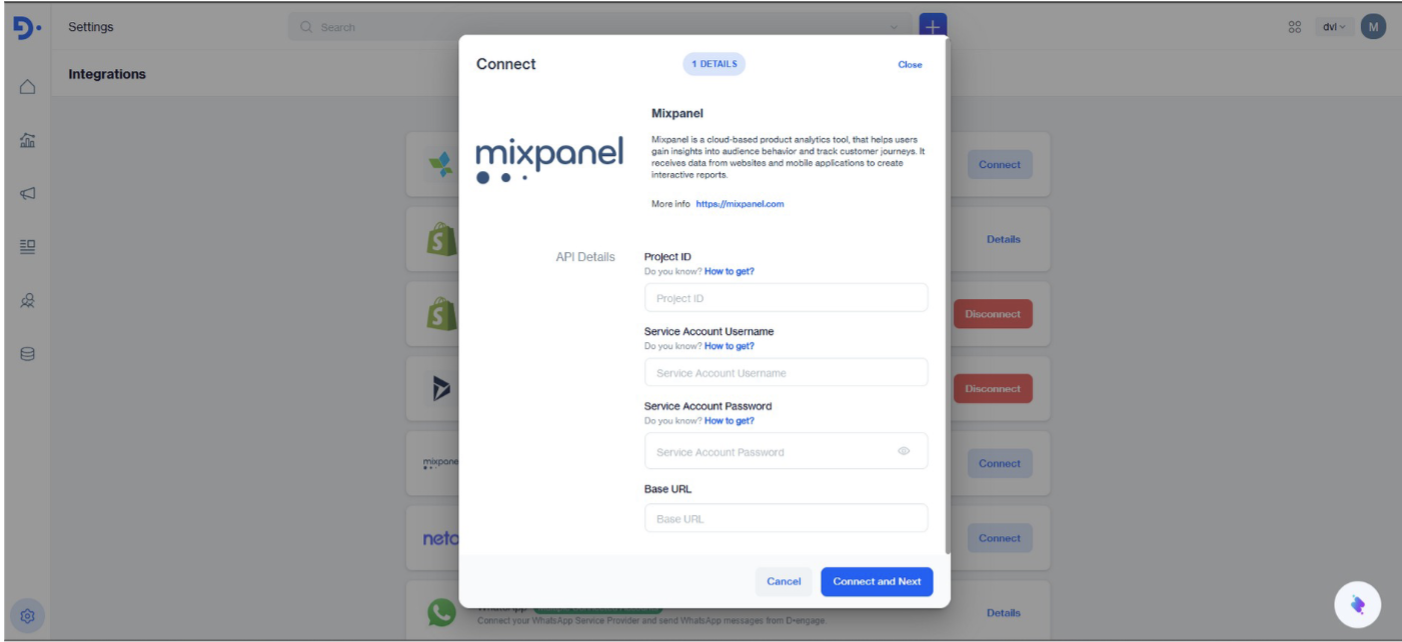
Mixpanel Integration
- Fill in the form using the credentials obtained from Mixpanel:
- Project ID
- Service account username
- Service account password
- Base URL: If the Access URL is: https://eu.mixpanel.com/project/3935906 Enter only the base URL: https://eu.mixpanel.com
- Click Connect and Next.
- Follow the remaining steps in the form to complete the setup.
Once completed, Mixpanel is successfully connected to Dengage.
Available Features After Integration
The Mixpanel integration provides the following capabilities:
- Syncing cohorts from Mixpanel to Dengage
- Exporting events from Dengage to Mixpanel from the following channels:
- SMS
- Push
- In-App
- Onsite
Background Jobs and Data Sync
Cohort Sync Job
- Runs once per day. Checks whether Dengage is connected to Mixpanel. If connected, syncs Mixpanel cohorts into Dengage one by one.
Event Export Job
- Runs once per day.Exports events from Dengage to Mixpanel.Events are sent in chunks: Maximum of 2000 events per chunk
Using Mixpanel Cohorts in Dengage Segments
- Once synced, Mixpanel cohorts become available in Dengage segmentation.
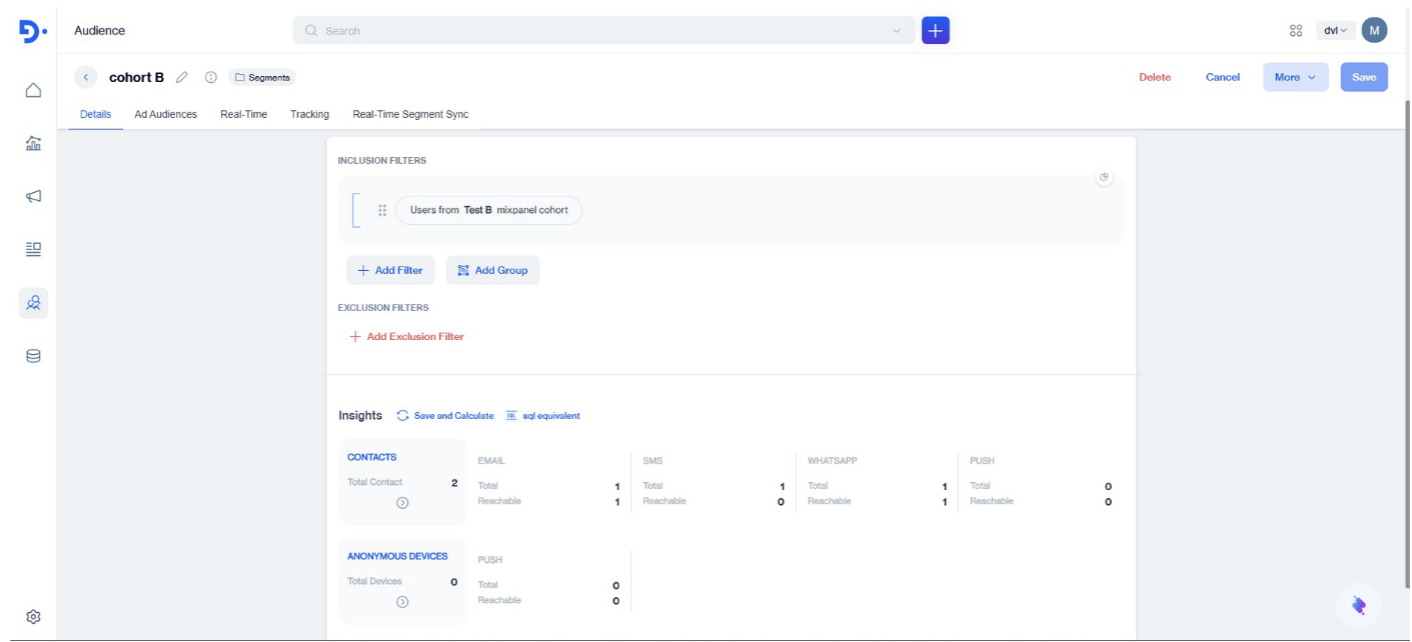
Mixpanel Cohorts in Segmentation
- Mixpanel cohorts can be selected while creating segments.
Important:
Dengage only includes users from the Mixpanel cohort who exist in themaster_contacttable.
Users not present inmaster_contactare ignored.