Typeform
The Typeform Integration allows you to seamlessly connect your Typeform account with your platform, enabling you to collect user responses efficiently.
Creating Typeform
Typeform
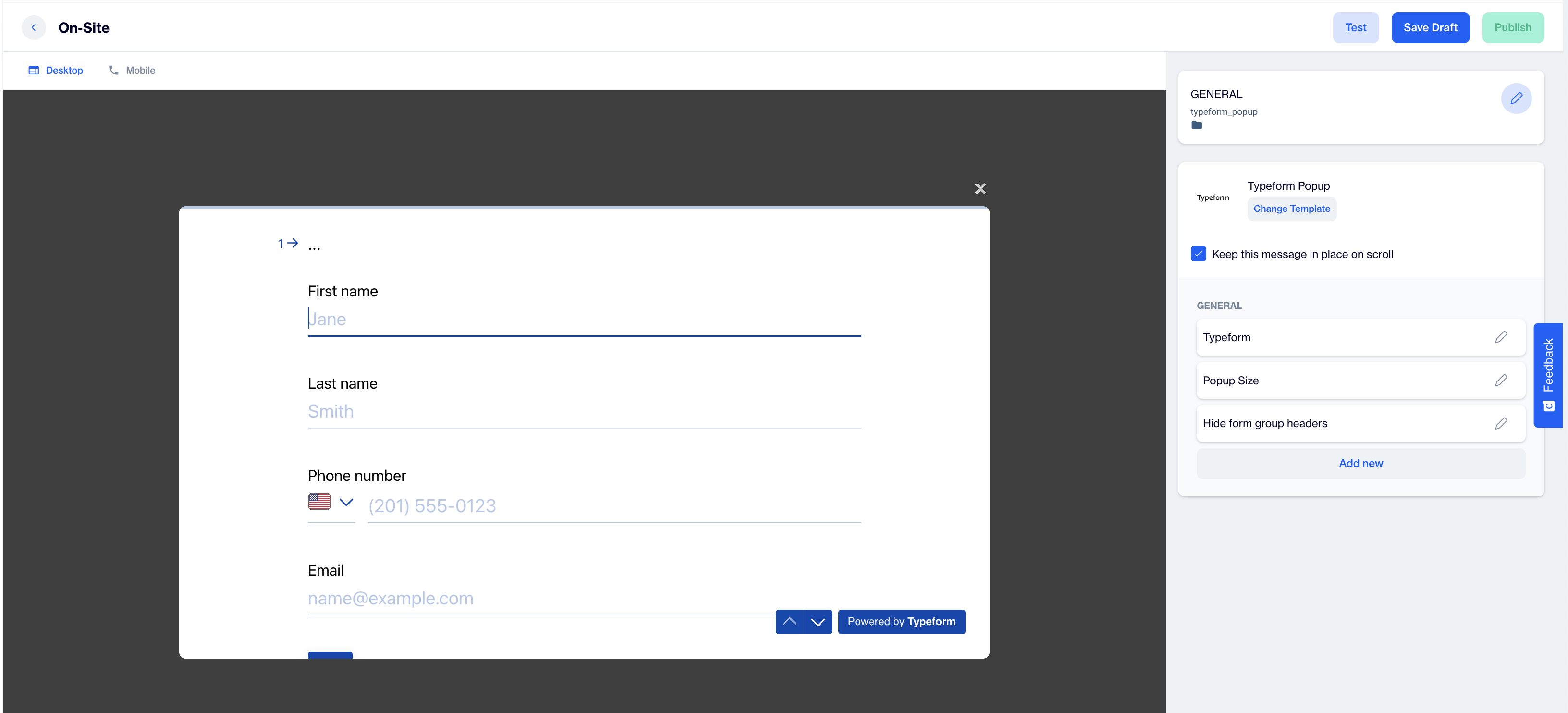
Preview on Desktop or Mobile: After selecting the Typeform template, users will see a preview on the left side of the screen, showing how the typeform will appear on both desktop and mobile devices.
General Section
As with other onsite elements, the General Section is where users input the Name and Folder details to organize the Typeform effectively.
**Change Template;**Switch between templates by clicking the Change Template button.
Typeform: Click the pencil icon to customize the Typeform selection. In the dropdown menu, choose the specific Typeform you want to integrate.
Popup Size: In this section, configure the display size of the Typeform popup. Select your preferred size to optimize the form’s visibility and user interaction on your site.
Hide Form Group Headers: Enable this option to hide the headers for form groups within the Typeform popup.
Unique Response by Same User Groups: Activate this setting to collect a single unique response from each specified user group, ensuring that users from the same group do not submit multiple responses.
After adding your content successfully, save it as a draft for future use or publish it to make it ready for your campaigns.
Related Articles
Typeform
Typeform surveys bring a multitude of benefits to the table, empowering you to gain valuable insights, enhance user engagement, and refine your strategies. These interactive questionnaires go beyond the traditional approach, enabling you to: Capture ...Typeform | Subscription Form
Please complete the integration of your Typeform account, before proceeding to this stage. To use the Typeform membership form on Dengage, follow these steps: 1. Create Content Create content on Typeform with following question types for the ...3rd Party Integration
This section provides a comprehensive guide to integrating Dengage with third-party platforms such as TikTok, Typeform, Shopify, Magento, WooCommerce, Salesforce, Mixpanel, WhatsApp, Microsoft Dynamics, and more. Each integration is explained in ...Segments
Welcome to our comprehensive guide on interactive segmentation! This resource is designed to empower you with the tools and knowledge to create precise and effective audience segments. With advanced filters, logic gates, and grouping options at your ...