The Account Settings section allows you to configure foundational settings for campaign management, including time zone, character set, and date format preferences.
In the Account Settings page, you can configure various options to customize your account and enhance security.
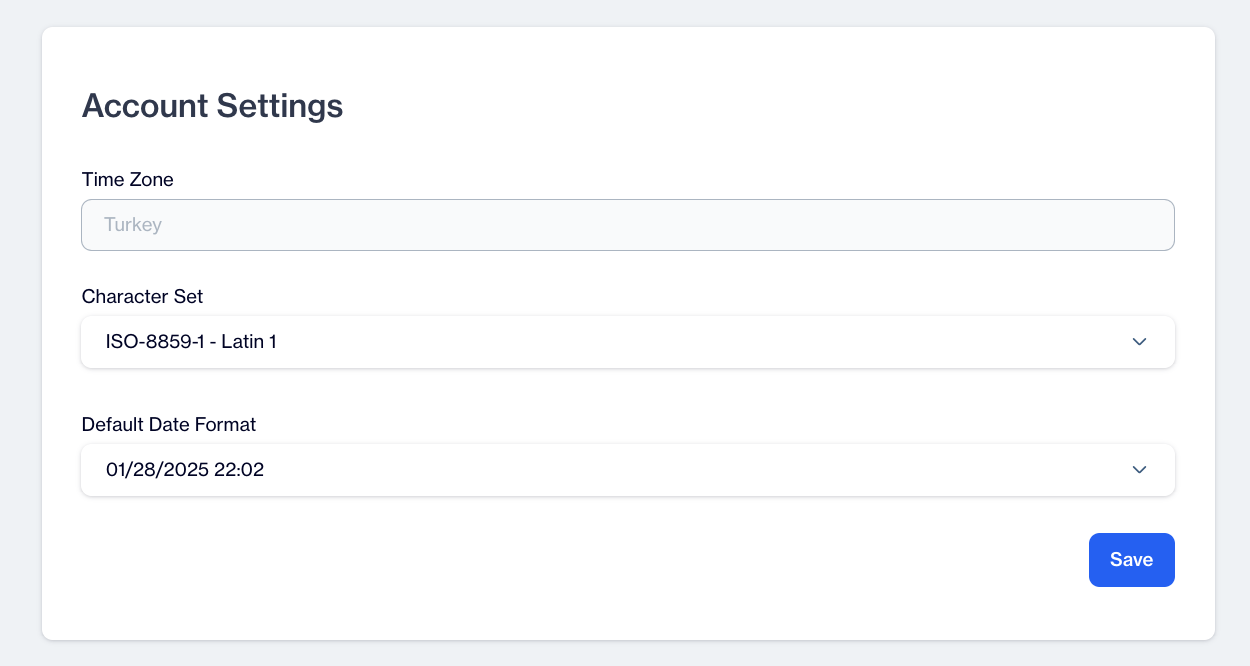
Account Settings
1.Time Zone: Choose your preferred time zone from the list provided to ensure that all timestamps and dates are displayed in your local time. All schedules, such as travel itineraries, will be adjusted to reflect this time zone.
2.Character Set: Choose a character encoding standard to ensure proper display and processing of text data. Options include:
- ISO-8859-3 - Latin 3: This character set supports languages that use special characters not covered by other Latin character sets. It includes support for Esperanto, Maltese, and Turkish, as well as some characters for other Southern European and Western European languages.
- ISO-8859-4 - Latin 4: This character set covers Baltic languages such as Latvian and Lithuanian, as well as some characters for other Central European and Scandinavian languages.
- ISO-8859-5 - Cyrillic: ISO-8859-5, also known as Latin/Cyrillic, is a character encoding standard that supports Cyrillic script, which is used for languages such as Russian, Bulgarian, Serbian, and others.
- ISO-8859-6 - Arabic: This character set is designed to support Arabic script, used in Arabic-speaking countries and by Arabic speakers around the world.
- ISO-8859-7 - Modern Greek: This character set supports the modern Greek script, including characters necessary for representing the Greek language.
- ISO-8859-8 - Hebrew: This character set is specifically designed to support the Hebrew script, used in Hebrew-speaking communities.
- ISO-8859-9 - Latin 5: This character set is similar to Latin 3 but designed specifically for the Turkish language, supporting Turkish characters and some other Central and Eastern European languages.
- ISO-8859-10 - Latin 6: This character set extends Latin 1 and Latin 4 to cover the Nordic and Sami languages, as well as some other languages of Northern and Western Europe.
3.Default Date Format: Set your preferred format for displaying dates, ensuring consistency across the platform.
4.Save: After making your desired changes, click "Save" to apply the settings.