Adding FTP IP Restriction to Settings
The FTP Users system now includes an IP Restriction feature, allowing administrators to control FTP access by specifying allowed IP addresses.
Enabling IP Restriction
- A new "Restrict IP Access" checkbox has been added to the FTP Users screen.
- When enabled, a textbox appears for administrators to enter allowed IP addresses.
IP Restriction & Validation
- Only the IP addresses entered in the textbox will be whitelisted for FTP access.
- Invalid IP addresses cannot be saved.
Error Handling & Feedback
- Users will receive an error message if they enter an invalid IP address.
How to Use
- Navigate to Settings > Identity & Access Management > FTP Users.
- Select an FTP user from the list.
- In the user details screen, find the IP Restriction checkbox.
- Check the box to enable IP restriction.
- Enter the allowed IP addresses in the textbox.
- Save the changes.
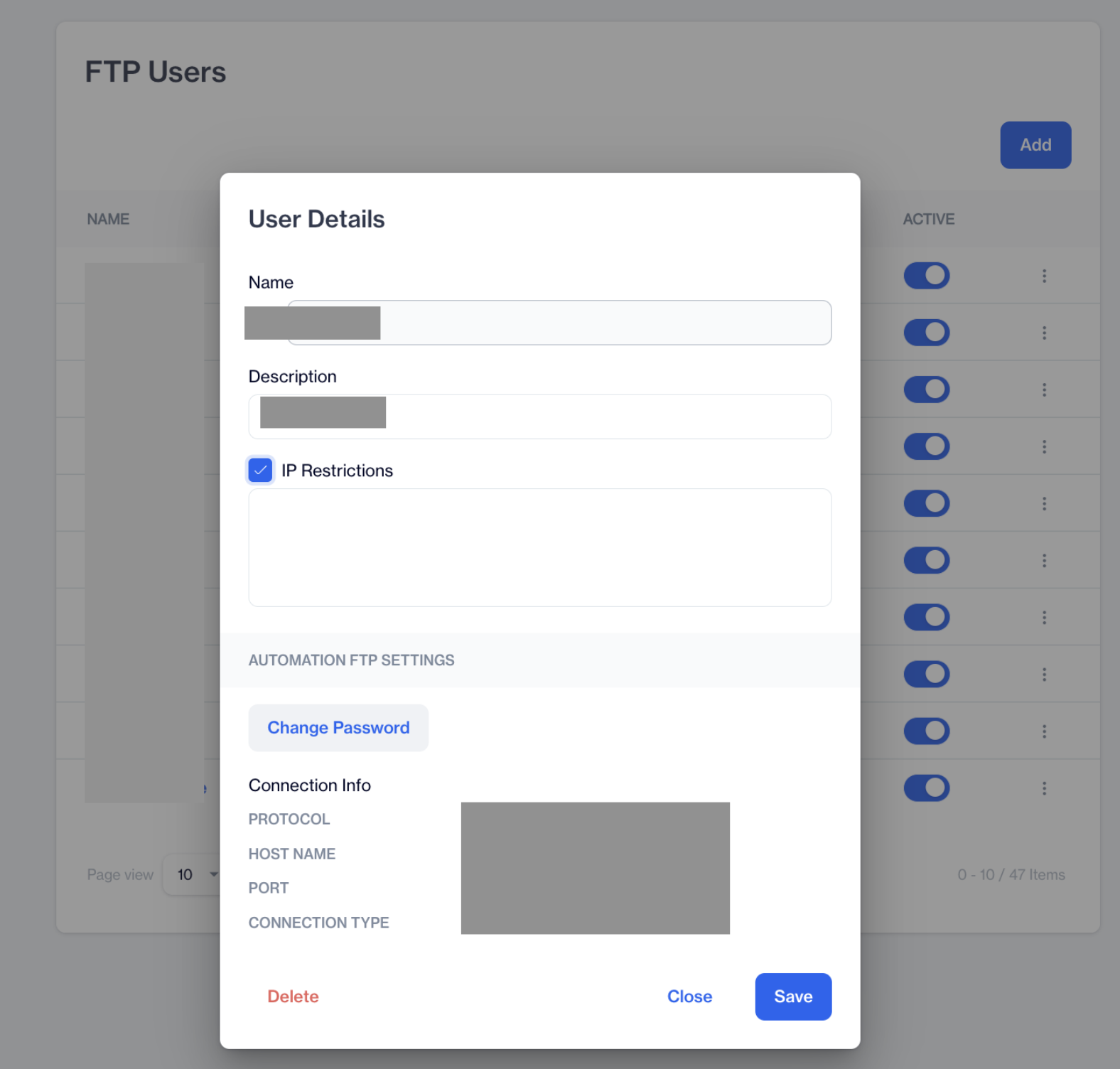
FTP Users
Related Articles
Automation FTP User
The Dengage platform supports FTPS (File Transfer Protocol Secure) to allow clients to securely integrate via file transfer protocol. The FTP Users section under Settings > Identity & Access Management allows you to manage FTP users. This feature ...Connect to Dengage FTP
Connection Details Protocol: ftps Host Name: ftps.dengage.com Port: TCP 990, TCP 30000-50000 Connection Type: Explicit Sample Codes You can find the sample codes for connecting to D·engage FTPS below public static async System.Threading.Tasks.Task ...Dengage Onboarding
Welcome to Dengage CXDP! This guide will walk you through the onboarding process, which consists of two main topics: Data Integration and Channel Integration. Data Integration Dengage CXDP enables you to store and manage both online and offline data. ...On-Site Message
An on-site message is a type of notification that appears directly on your website while visitors are actively browsing. Unlike scheduled messages, it doesn’t get sent at a fixed time. Instead, it shows up instantly during the user’s session. Common ...Configuration
Configuring MMP Enterprise Configuring MMP Enterprise introduces several variables like From Address, Reply Addresses, LDAP Integration(optional), RabbitMQ Configuration, Send Pools, Users, Accounts, and lots of permissions. In the initial phase of ...