Extending the Contact Card
The Extending the Contact Card feature allows you to easily access contact-specific data directly within the Profile section. By linking tables related to the master_contact table, this feature provides deeper insights into customer profiles, enabling you to retrieve detailed information.
How to Access
- Navigate to the Audience section of Dengage platform.
- Go to Profiles and click on any existing contact to view its details.
- Within the Contact Detail Page, find and click the "Add Custom Tab" option.
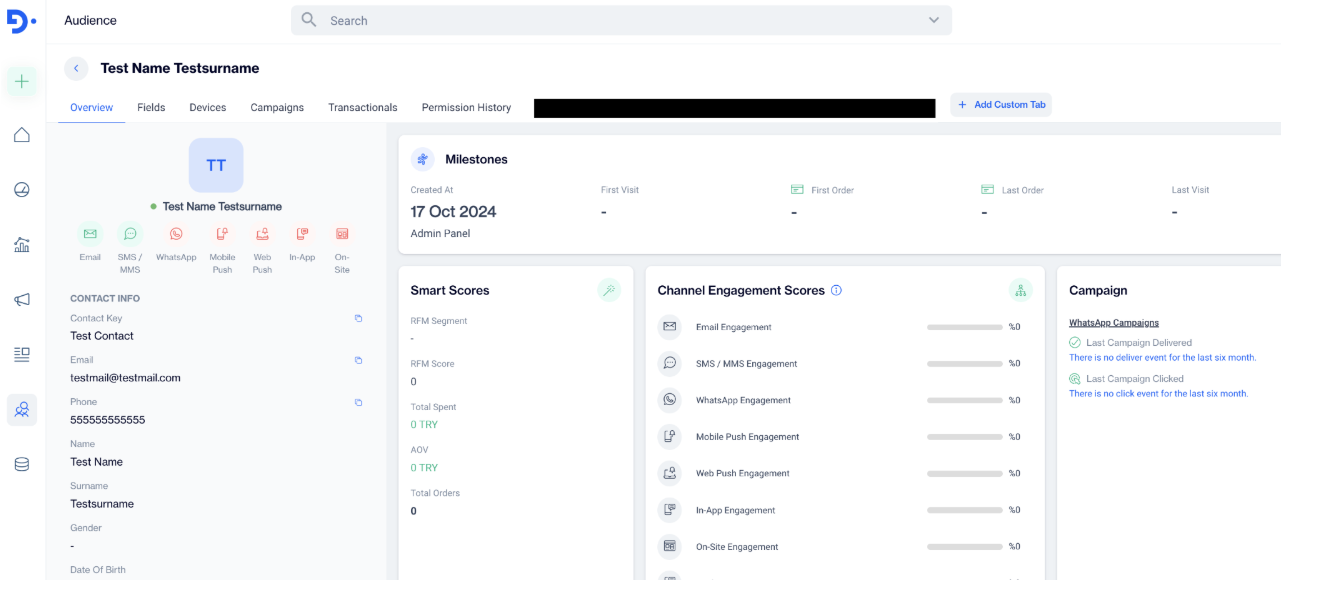
+Add Custom Tab
How to Use
Select Table:
- After clicking on “Add Custom Tab,” in the “Create Custom Tab” window, Select Table (Primary Table) from the drop-down menu that is related to the master_contact table.
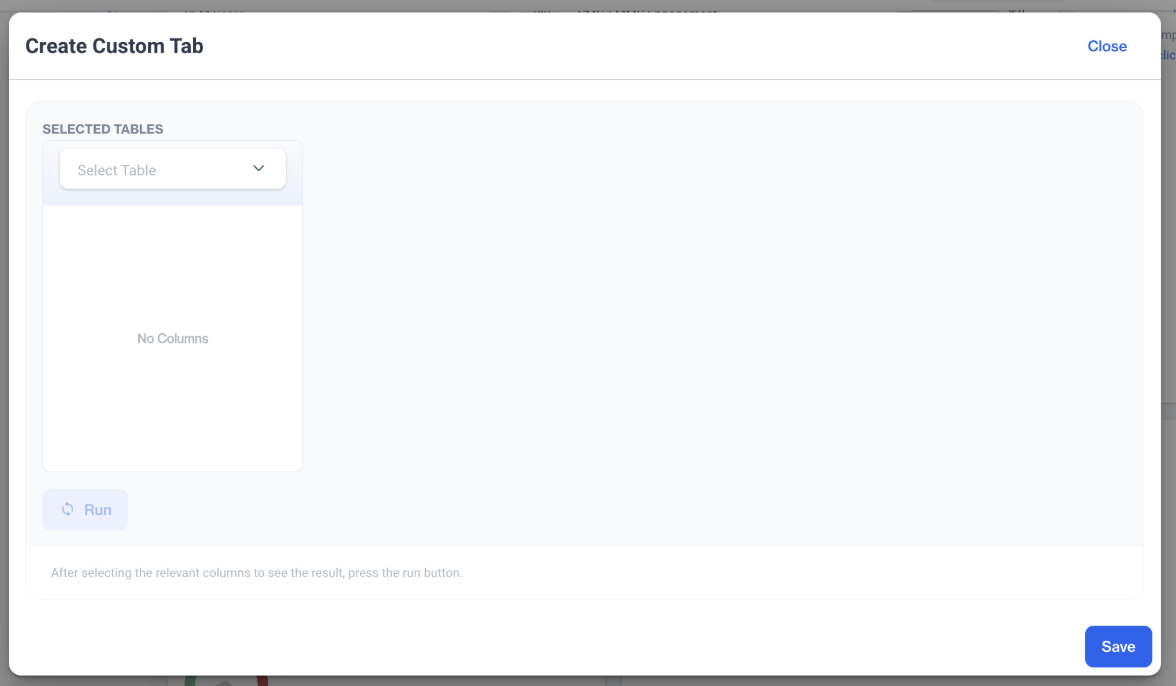
Select Table (Primary Table)
Optional Table Selections:
- You can add up to three additional related tables:
- Secondary Table (related to the Primary Table)
- Tertiary Table (related to the Secondary Table)
- Quaternary Table (related to the Tertiary Table)
Choose Columns:
- Select the columns you want to display in your tab. You can either check specific columns or select all available columns at once.
- After selecting the relevant columns to see the result, press the Run button.
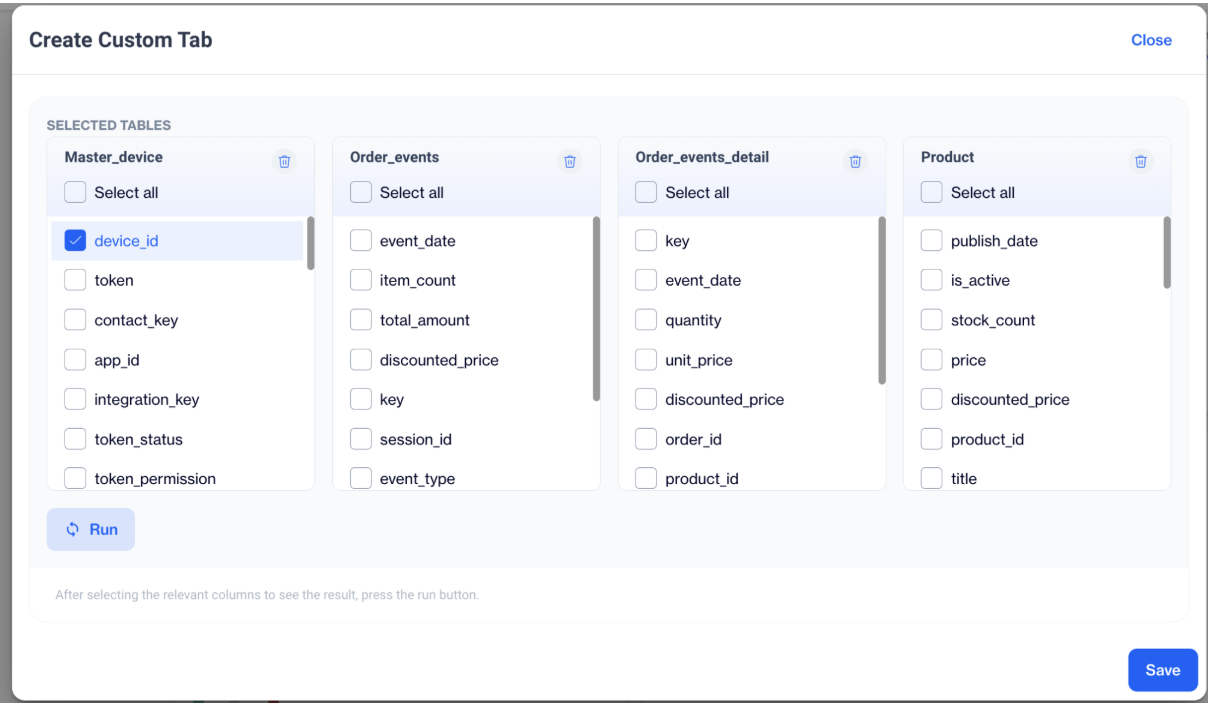
Choose Columns
Tab Options:
- Save Tab: Click Save at the bottom right to keep the custom tab.
- Name the Tab: Input the desired tab name in the "Your Custom Tab Name" field.
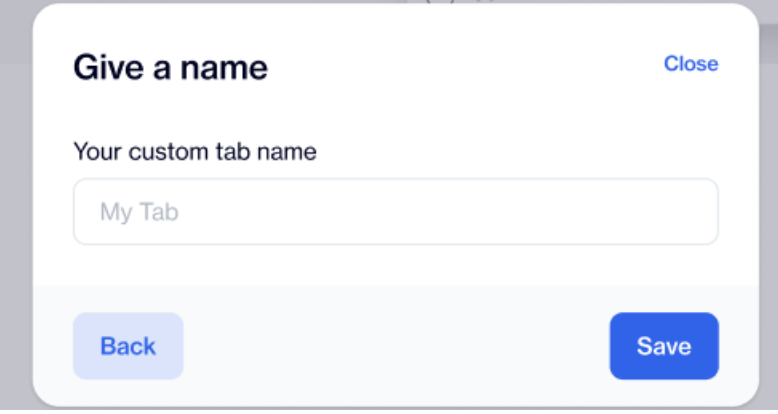
Name the Tab
Once saved, users will see their custom tab in place of the "Add Custom Tab" option on the details page. When they click on the custom tab, a settings icon will appear in the upper right corner. Here, users can edit or delete the tab as needed.
Prerequisites and Limits
- At least one master_contact-related table must exist in the system.
- Each custom tab can include a maximum of four linked tables (Primary, Secondary, Tertiary, and Quaternary).
- The number of tabs that can be added as a custom tab is limited to “5”.
Related Articles
Contact Unification
Contact Unification is a feature that allows users to merge multiple contact keys associated with a single email address. This functionality is particularly useful when integrating offline and online data sources, such as data from physical stores ...Contact Extension Types
The Contact Extension feature enables you to store and manage multiple email addresses or phone numbers for a single contact. By default, the master contact table holds only one email address and one phone number per contact, along with their related ...Automated Sendable Contact Import
The Automated Sendable Contact Import feature lets you automatically create a new, dynamic sendable contact table every time a file is uploaded. This is different from a regular Automated Flow, which can only update existing tables. With Automated ...Star Schema
The Star Schema stands at the core of relational database architecture, providing a foundational framework for establishing relationships among tables. Star Schema: The Unmatched Strength of Relationships The schema enables the creation of ...Profiles
The Dengage Platform relies on profiles as the core components of our contact management system. Dengage excels in constructing a comprehensive view of each user profile, offering extensive insights into user interactions and behaviors. This ...