My Profile
The My Profile section lets you manage your personal details and account preferences.
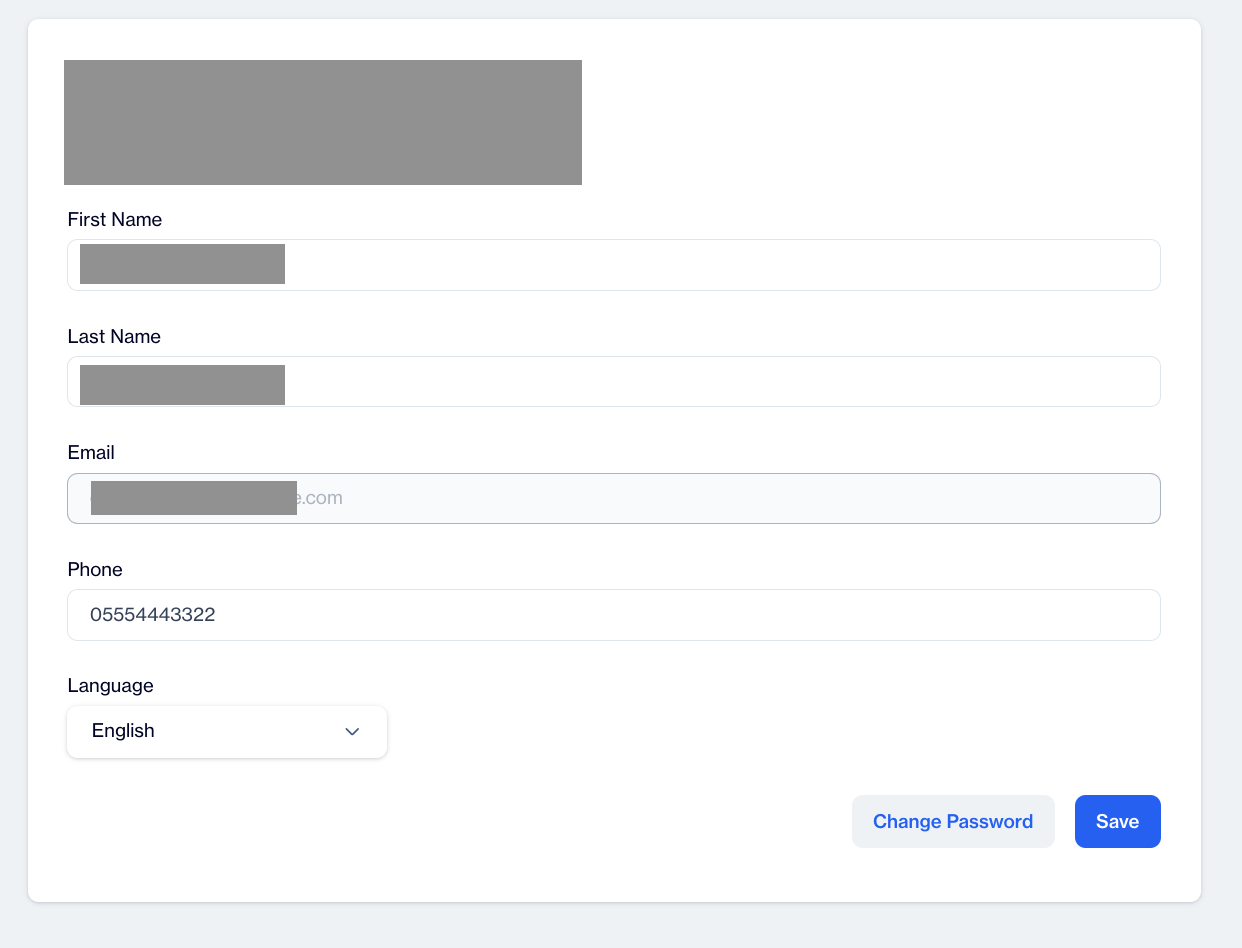
My Profile
How to Change My Profile Settings
1.Overview
- Name: This field shows the user's first name.
- Last Name: This field shows the user's last name.
- Email: This section allows users to see the email address connected to their account.
Login EmailRemember that the email address cannot be changed and will remain as initially set by default. This is the email address you use to log in to the web admin panel, and it is how we identify you.
- Phone: Shows the phone number associated with the account, if it has been provided.
- Language: Select your preferred display language from the dropdown menu.
Note: Once you set a language here, all accounts you access will display in this selected language.
2.Change Password: The Change Password section allows users to update their account password. This section includes the following fields:
- Current Password: Users must enter their existing password to verify their identity and authorize the change.
- Password: In this field, users can create a new password for their account. The password should meet any complexity requirements set by Dengage for security purposes.
- Repeat Password: Users must re-enter the new password in this field to confirm it and ensure there are no typos in the new password.
- Change Password: After filling in the required fields, users should click the "Change Password" button to apply the changes and update their password
Password RequirementsThe password must meet all the following requirements.
8 to 16 characters: The password must be at least 8 characters long and no more than 16 characters in length.
One uppercase letter: The password must contain at least one uppercase letter (A-Z).
One lowercase letter: The password must contain at least one lowercase letter (a-z).
One special character: The password must include at least one special character, such as !, @, #, $, %, ^, &, or *.
One number: The password must have at least one numeric character (0-9).
3.Save: After making any changes to their profile, users should click the "Save" button to apply the updates to their account information.
Related Articles
Contact Unification
Contact Unification is a feature that allows users to merge multiple contact keys associated with a single email address. This functionality is particularly useful when integrating offline and online data sources, such as data from physical stores ...Advanced Personalization in SMS/MMS
In the Message section of your SMS or MMS content, you will find the "Add Customization" button. Using this, you can insert dynamic content directly into your message via the customization selector, allowing each recipient to receive highly ...Creating Email Content
The Email Content section allows users to create email content using different tools based on their requirements. You can create email content using the Rich Text Editor, Code Editor, Email Builder, or by Uploading a pre-designed file. This ...Event Based RFM Report
The Event-Based RFM Report feature enhances the existing RFM Analysis system by allowing users to define and calculate custom RFM segments based on selected events, attributes, and metrics. This flexibility improves segmentation accuracy and ...Advanced Personalization in Push Notifications
In the Title and Message fields, you will find the "Add Customization" button. This allows you to embed dynamic content directly into your push notifications using the customization selector. For even more powerful targeting, you can leverage the ...