Push Custom Parameters
The Push Custom Params feature allows users to define and manage custom parameters for push notifications. This customization enhances the personalization and functionality of push campaigns.
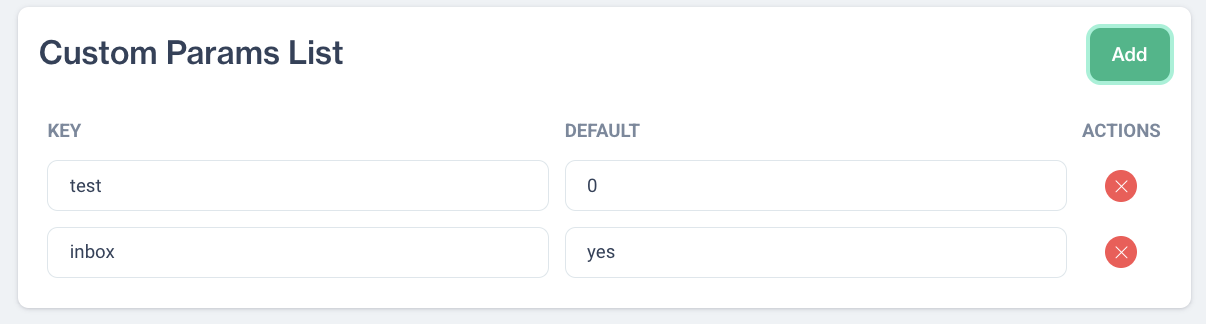
Custom Params List
Custom Params List: Displays all the custom parameters in a table format with the following columns:
- Key: The name of the custom parameter, acting as an identifier for the specific data point or setting being customized.
- Default: The default value assigned to the custom parameter, used when no other value is specified during the campaign.
- Actions: Provides options to delete existing custom parameters, allowing for easy management and updates.
Add Button: Located above or below the Custom Params List, this button allows users to add new custom parameters.
Adding a New Custom Parameter
The Add button allows users to create new custom parameters for push notifications. Follow these steps:
- Key: Enter the name for the new custom parameter. This name will serve as an identifier in push campaigns.
- Default: Specify the default value for the custom parameter.
Click the Save button to ensure all settings and default values are stored.
Related Articles
Push
This section explains the push function, enabling users to efficiently create push notifications. It facilitates swift communication by organizing pushes into folders for structured access. Additionally, users can create a new push notification by ...Creating Push Content
The Push Content section allows users to create push notifications in a straightforward way. Push notifications are created in a single format, ensuring simplicity and efficiency in the content creation process. Users can define the message content, ...Push
Engage your audience in real time with powerful, personalized Push Notifications available for both mobile and web platforms. Whether you want to deliver instant updates, promote new content, or re-engage inactive users, our Push Notification system ...Custom API Endpoints
The Custom API Endpoints feature allows users to define and manage API endpoints for custom integrations. This is particularly useful for sending data to external systems or receiving data in a campaign workflow. How to Add a Custom API Endpoint ...Custom Reports - Charts
All Reports The report list is displayed in a table format that includes: Name: The title of the report. Use clear and descriptive names to easily identify its purpose and content. Type: Specifies the report type, such as Pivot Table, Big Number, ...