Automated Flow - Data Export to Google BigQuery for Segment/Table
The Campaign Control Group Contacts log type is now available under Incremental Logs, allowing users to export detailed control group data used in campaigns. This enhancement supports transparency and auditability by providing direct access to contacts excluded from campaign sends due to control group logic.
How to Access
Navigation Path: Data Space > Data Management > Automated Flows
To access this feature, navigate to Data Space > Data Management > Automated Flows. This is where you can define and manage export flows using various trigger and action configurations.
How to Use
Follow the steps below to export Campaign Control Group Contacts using Automated Flows with Incremental Logs:
- Create a New Automated Flow; Begin by navigating to Data Space > Data Management > Automated Flows. Click the New button. From the options, select Automated Flow. Give your flow a meaningful name, set the Start Date and End Date, and click Next to continue.
- Configure the Flow Screen; Once inside the flow design interface, drag and drop the Recurring trigger onto the canvas. Set the frequency according to how often you'd like the data exported (e.g., daily). Then drag the Data Export node into the Actions section.
- Configure the Data Export Node; Click the Data Export node to begin configuration. Select Incremental Logs as the data source type, and click Next.
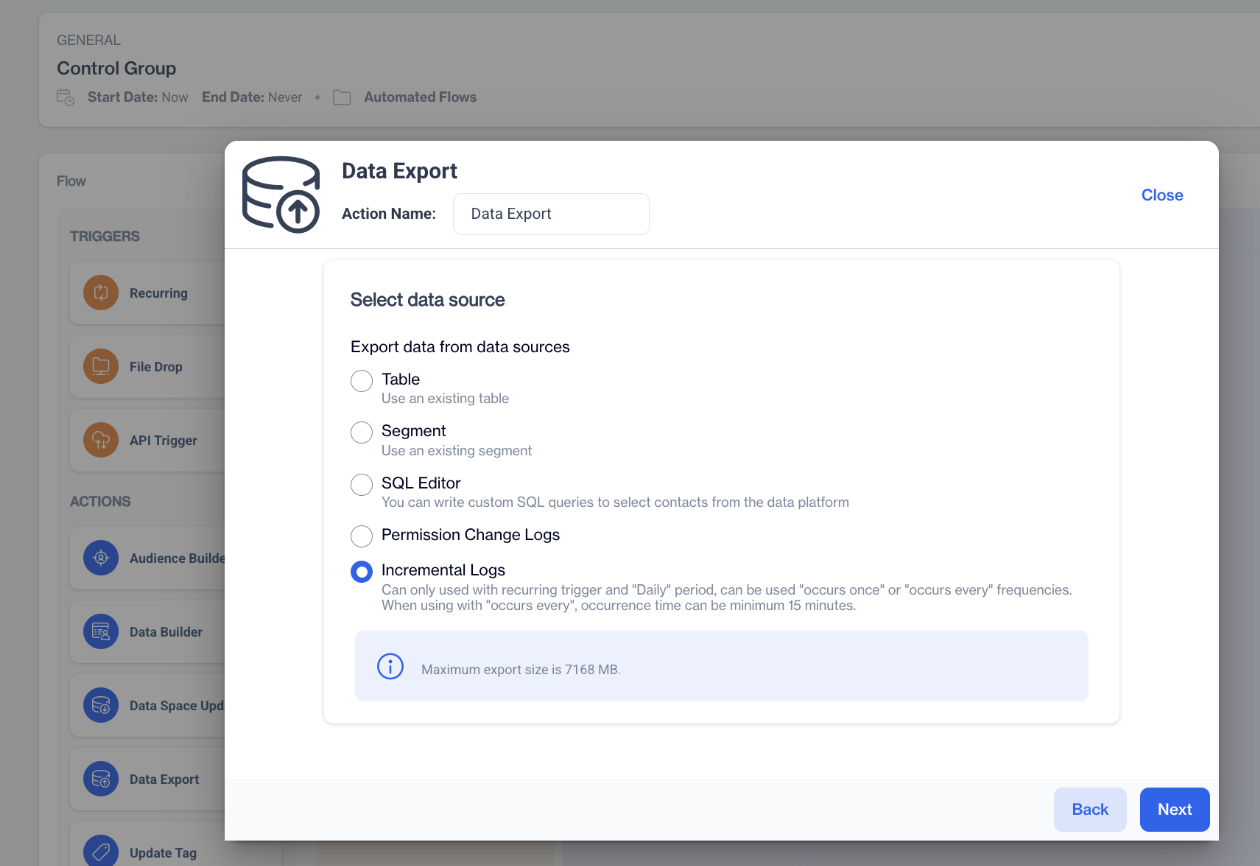
Incremental Logs
- Select Log Type; On the Incremental Logs selection screen, you'll see two sections: Transactional and Marketing. Under the Marketing section, select Campaign Control Group Contacts. Click Next to proceed.
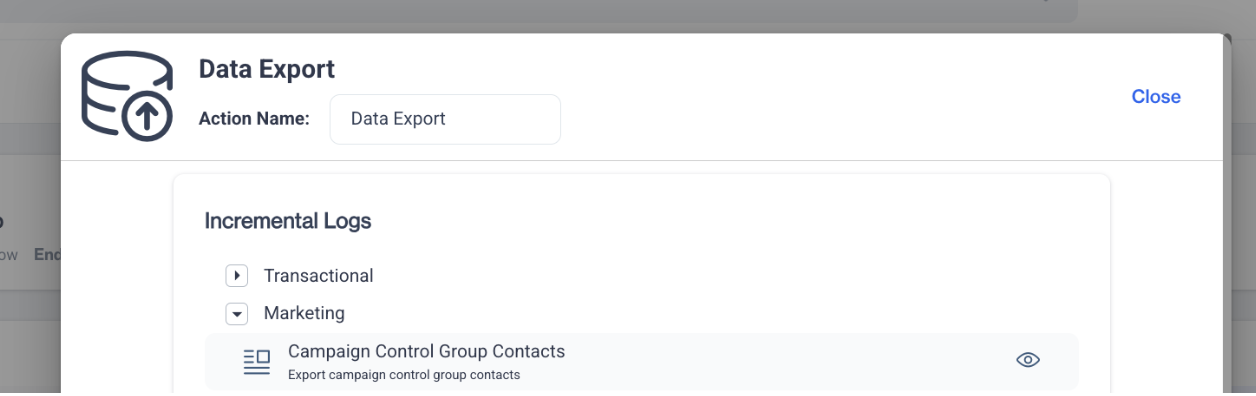
Campaign Control Group Contacts
- Select Remote Target; In the remote target configuration step, choose the desired export destination from the available options. Click Next.
- Review and Complete; On the summary screen, review your selections:
- Data Source: Campaign Control Group Contacts
- Target Type: your selected remote destination
Confirm your setup and save the flow.
Related Articles
Automated Flows
In which situation do I get an error on an automated flow which exports the data to Facebook? Errors in an automated data export flow to Facebook can occur for several reasons. These include the Meta link timed out, broken connection , or if Facebook ...Automated Flows
In the realm of data-driven marketing, automated flows are pivotal in orchestrating a sophisticated data management strategy that precedes and enhances communication efforts. These flows serve as an automated infrastructure that intelligently ...Export
This section explains the export part of CDP. It seamlessly extract and distribute data from any table, segment, or SQL query directly to FTP sites, key advertising platforms including Google Customer Match and Facebook Custom Audiences, and cloud ...Flow Components
Flow Overview Flow is a visual campaign builder that helps you create customer journeys step by step.You can use Flow Components to build these journeys by dragging and dropping of various flow nodes to design complex customer interactions. When Can ...MSSQL Data Export
The MSSQL Data Export Node allows users to export data directly to an MSSQL database from the Automated Flow module. Depending on the availability of SELECT permissions on the customer's SQL server, users can either select a schema/table from a ...