Brand Definitions
The Brand Definitions section allows users to create and manage brand-specific settings for different communication channels. These settings ensure consistency in communication and compliance with brand guidelines.
- Name: Displays the name of the existing brand definitions.
- Updated Date: Shows the date when the brand definition was last updated, providing a quick reference for recent changes.
This section enables users to add new brand definitions with customized configurations for email and SMS/MMS communication channels.
How to Configure Brand Definition
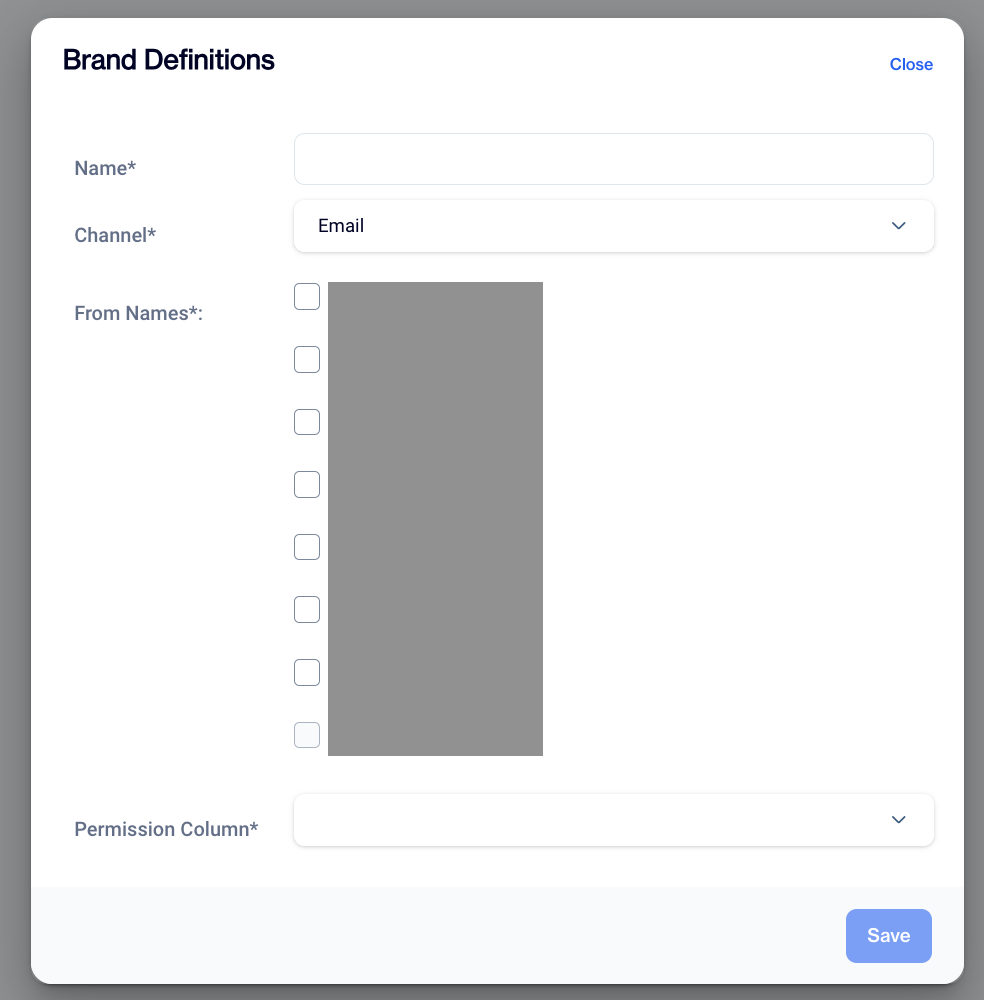
Brand Definition
Add New Brand Definition
- Navigate to the Brand Definitions section.
- Click on the Add New button to create a new brand definition.
Enter Brand Information
- Name: Enter a unique and descriptive name for the brand definition to make it easily identifiable.
Select Channel
- Channel: From the dropdown menu, choose the communication channel for the brand definition:
- SMS/MMS
Configure "From Names"
- Based on the selected channel, configure the "From Names" to specify how the sender will appear in communications:
For Email or SMS/MMS: : Select one or more "From Names" using checkboxes:
Set Permissions
- Permission Column: Use the dropdown menu to define permissions related to the brand definition
Save the Configuration
- Click the Save button to finalize the brand definition. This ensures the settings are applied and ready for use.
Related Articles
Event Definitions
The Event Definitions feature in Campaign Configuration allows you to create, edit, and manage events that track user interactions and campaign performance. The Event Definitions screen contains: Events List: Displays all existing event definitions ...Segment
How to create segments for event tables (like shopping_cart event, order event ...)? To create segments for the event table: Navigate to Audience -> Segments -> New. Select segment type (Interactive, SQL). For Interactive Segment: Enter the segment ...Analytics Event Definition
Create and manage Analytics Event Definitions to track user actions, and make these events available for targeting, personalization, and measurement across campaigns. Analytics Event Definitions let you define which user actions should be captured, ...Segment Permissions - Select Segments Without Data View Access
This feature improves access control in segments by allowing users to select and use existing segments without giving access to full data-level details. Users who work on segmentation often need to include existing segments while creating new ones, ...Creating Onsite Content
The Onsite Content feature is a powerful tool within the platform that allows users to display personalized marketing content directly on their website. This content can include banners, pop-ups, and other interactive elements aimed at improving user ...