Code Editor
The Code Editor provides a powerful interface for configuring your email content and folders, allowing for comprehensive personalization. It enables users to easily customize sender information, subject lines, and pre-headers to enhance engagement. Additionally, the editor allows for the creation of advanced server-side JavaScript code, enabling the development of more personalized experiences on your site; however, this feature requires technical expertise.
The code text editor simplifies HTML coding, empowering you to craft detailed email designs. You can also insert customization tags, unsubscribe link, image URL, dynamic image, and dynamic content directly into your code.
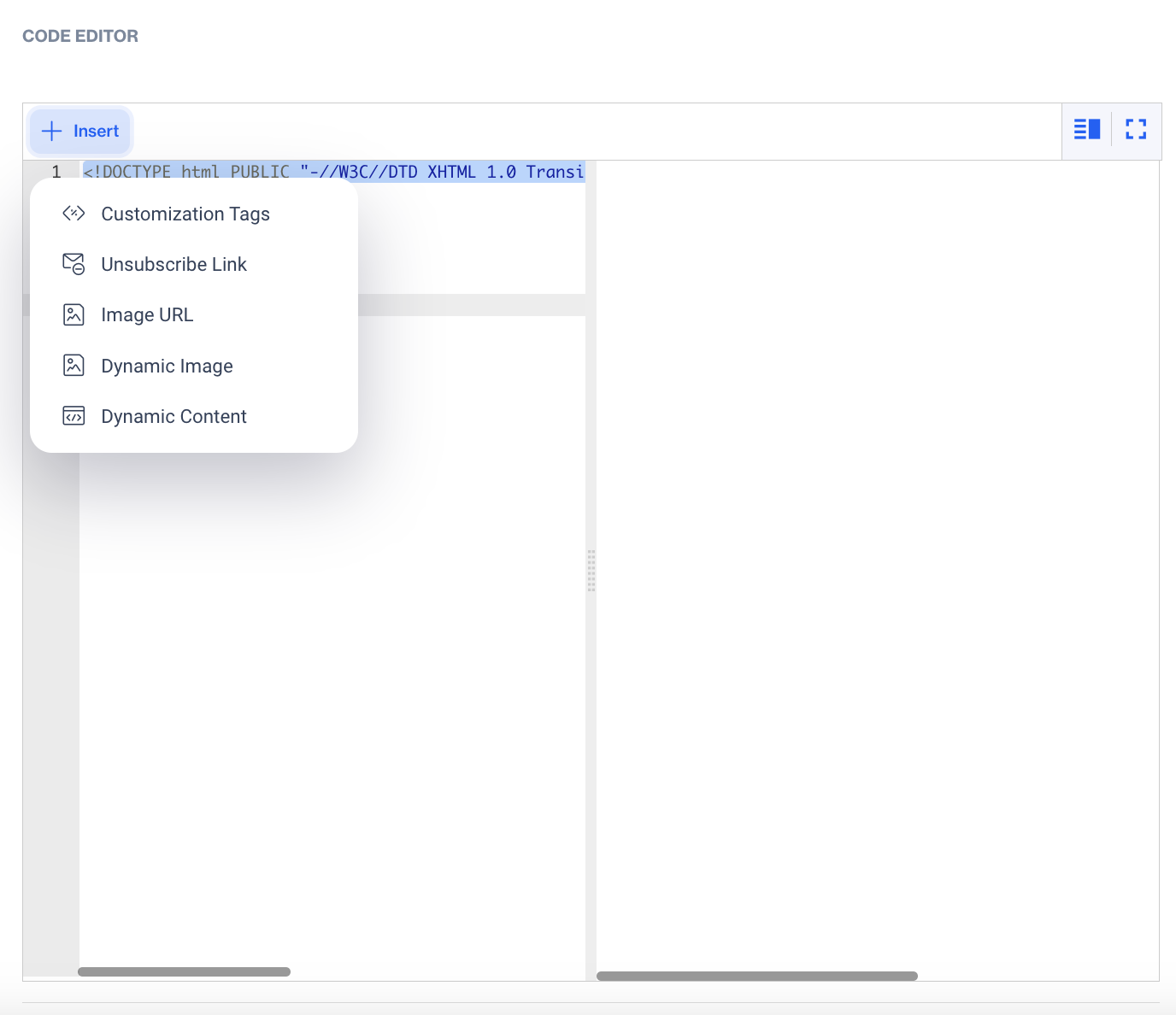
Code Editor
- Customization Tags
When adding Customization Tags to your email content, you'll see the Customization Selector pop-up. This tool allows you to personalize your emails using various data fields. Keep in mind that if the content already contains Flow Customizations, you can only add more Flow Customizations unless you remove the existing ones to switch to Targeting Customizations.
Customization options include:
- Contact Columns: Insert data specific to your contacts, such as contact_key, name, email.
- Device Columns: Personalize content based on the recipient’s device data (e.g., device type or device_id).
- Dynamic Content (Plain Text): Add dynamic text that adjusts based on recipient data or context.
- Column from Segments: Use data from predefined segments to tailor content for targeted groups.
- Column from Table: Incorporate data from your custom tables to further customize your email.
- Unsubscribe: Insert an unsubscribe link to comply with legal requirements and allow recipients to opt out. (e.g.,{{unsubscribe-link}}, {{brand-unsubscribe-link}} )
- Unsubscribe Link
- Add an unsubscribe link for recipients to opt-out of future emails, ensuring compliance with email regulations.
- Image URL
Using the Image URL option in the Code Editor, users can easily insert images into their email content. When you click on the Image URL, a popup will open, allowing you to choose an image from your existing folders or upload a new image.
To select an image from your folders, navigate through the available options until you find the desired image. If you wish to upload a new image, simply click on the upload option and select the image file from your device. Once the image is selected or uploaded, the URL will be automatically inserted into your code, ensuring seamless integration of visuals in your email content.
- Dynamic Image
- Embed images that change dynamically based on customizations.
- Dynamic Content
- In the Dynamic Content section, you can enhance your email by selecting from three options:
- Product Box: Use this option to display product information dynamically, including images, descriptions, and prices, tailored to the recipient's preferences or behaviors.
- HTML: Insert custom HTML to create visually appealing and interactive elements in your email.
- Plain Text: Add dynamic text that adjusts based on recipient data or context.
Related Articles
Code Editor
It offers essential sections for configuring content and folders, allowing users to easily personalize sender information, subject lines, and pre-headers. Additionally, it supports the creation of server-side advanced JavaScript codes for building ...HTML Editor
The HTML Editor allows you to design and customize layouts that align with your brand's unique style using code. This section offers full control over the layout and design elements, enabling you to tailor each aspect to fit your specific brand ...Rich Text Editor
This module facilitates easy copying and pasting of HTML to construct email content. It provides essential sections for content and folder configuration. Users can effortlessly customize sender details, subject lines, and pre-headers. Additionally, ...Rich Text Editor
The Rich Text Editor is designed for creating email content without the need for advanced technical skills. It provides a user-friendly interface where you can easily insert images and apply basic styling to your email content. Select a Type > Rich ...Creating In-App Content
The In-App Content feature enables you to deliver targeted messages and interactive content directly within your mobile app. This includes elements like banners, pop-ups, and other notifications designed to engage users, promote offers, and drive ...