Multiple Event Structure for Conversion Tracking and Revenue Mapping
The Multiple Event Structure feature allows you to select multiple events for tracking conversions and mapping revenue. By choosing these events, you can view each event's impact separately in your reports, offering clearer insights into your campaigns’ performance.
- Conversion Tracking: Enables the selection of multiple events (up to two) for tracking conversions within a campaign.
- Revenue Mapping: Allows users to map revenue events to understand campaign contributions to revenue.
How to Use
How to Access: Multiple Event Structure for Conversion Tracking
This feature is available in the Campaign settings under Conversion Tracking.
How to Access: Campaign > Delivery Settings > Conversion Tracking > Conversion Goal > Conversion Method > Event.
Selecting Events for Tracking:
- Click the Select Event button.
- In the Conversion Event screen, you can choose events for conversion tracking.
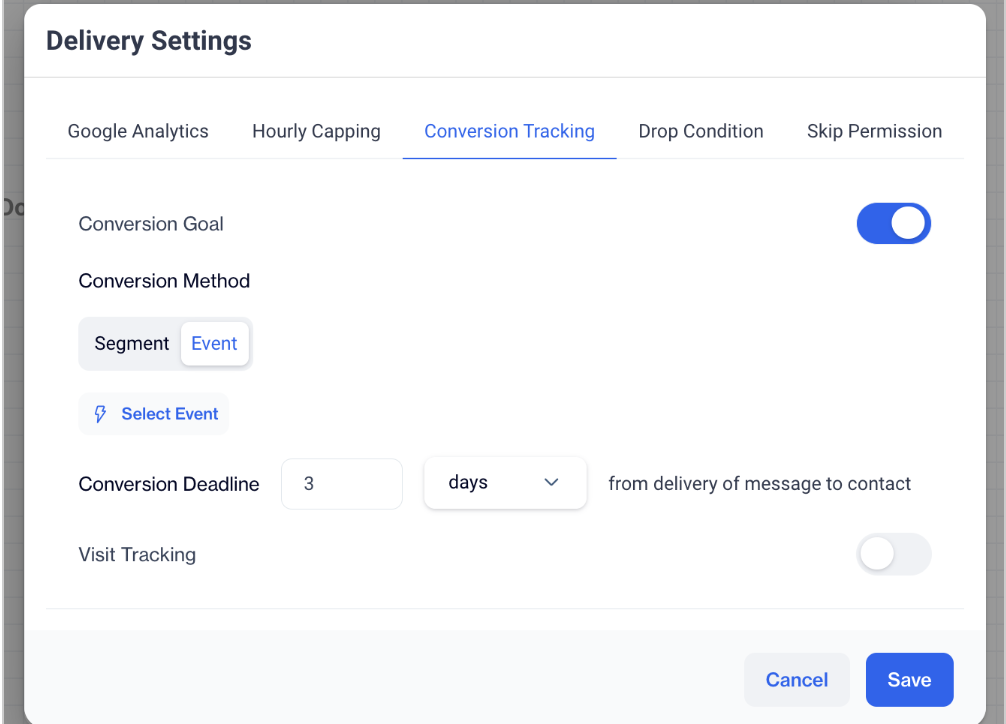
Select Event
Managing Selected Events:
- After choosing events, click Change Event to update your selection.
- To remove an event, click the Delete button.
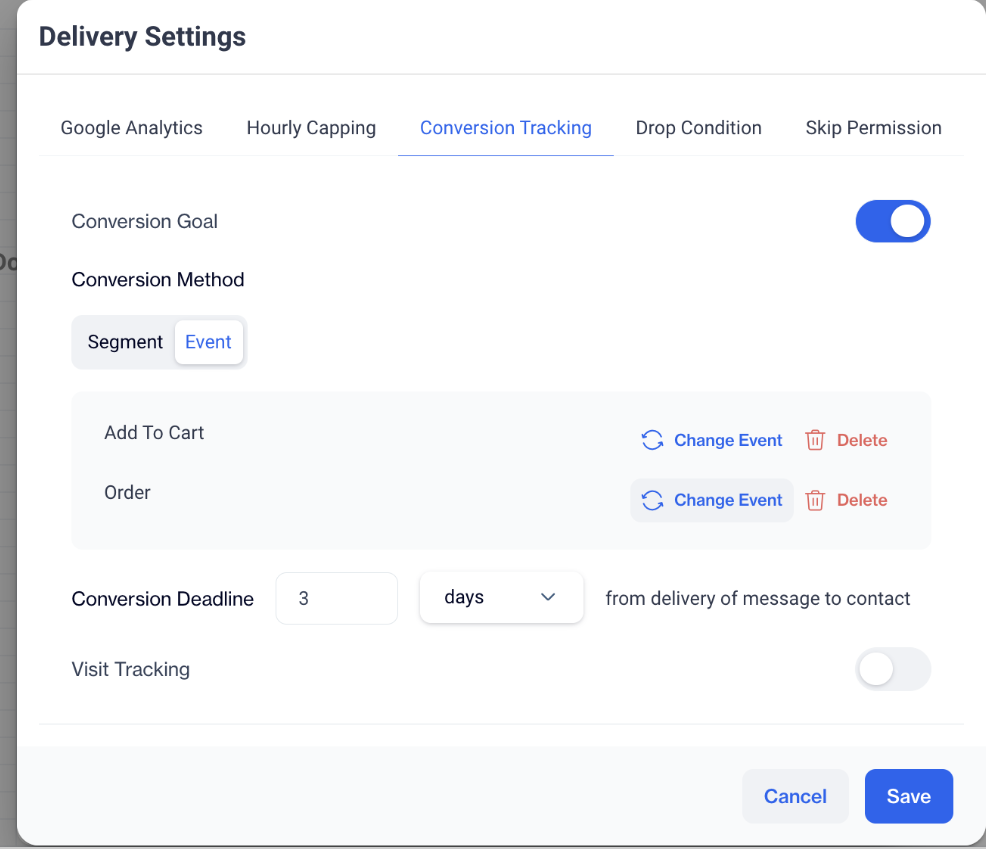
Managing Events
Note: You can select up to two events for conversion tracking. If a segment has already been selected as the conversion event, you won’t be able to add another event.
How to Access: Multiple Event Structure for Revenue Mapping
This feature can be accessed in the Settings area to track revenue generated by multiple revenue events, providing a deeper understanding of each campaign's revenue impact.
- How to Access: Settings > Revenue Mapping.
- Add Events and Attributes for Revenue Mapping:
- Click +Add Event and Attribute to choose your Revenue Event and Revenue Attribute.
- Multiple revenue events can be selected to track the impact on revenue, especially if Order Event is set as the conversion event.
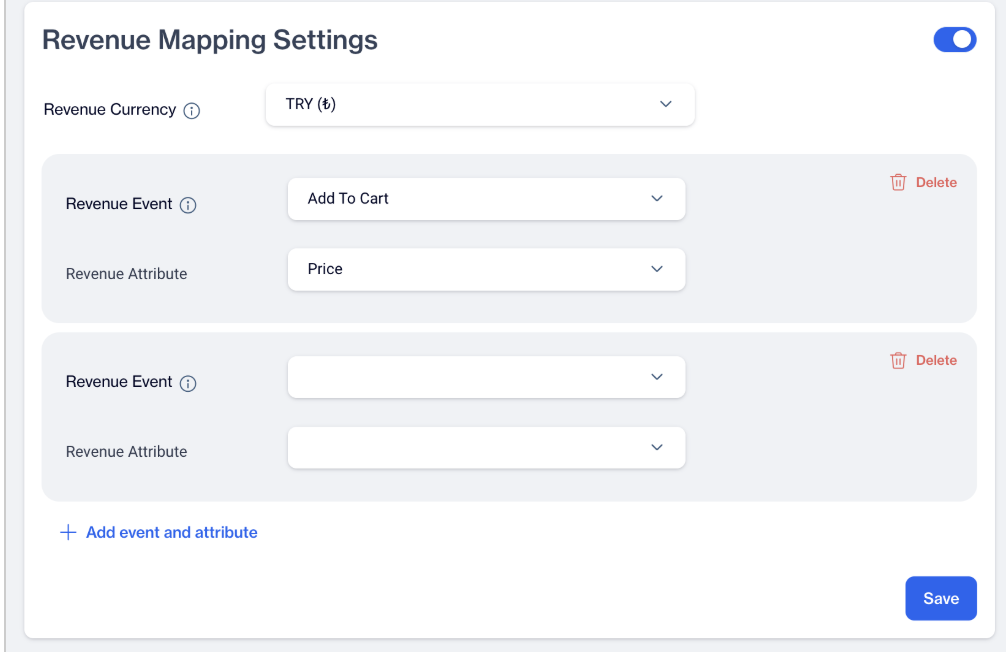
Add Events and Attributes for Revenue Mapping
Related Articles
Revenue Mapping
The Revenue Mapping feature is essential for tracking and reporting the revenue generated by your campaigns. By configuring this feature, you ensure precise financial analysis and maximize the impact of your advertising efforts. Revenue Mapping ...Conversion
What's the reason behind the absence of conversion data in our reports? To be able to view these data, there are a few steps that need to be taken. Firstly, under Settings > Event Definition, you need to save the situations you want to count as ...Conversion & Visit Tracking Shared Deadline
This feature improves how tracking deadlines are defined and understood in Campaigns by introducing a single, shared deadline for both Conversion Goal and Visit Tracking. By unifying the deadline logic, users can now control how long campaign ...Event Integration
Is the only way to transmit events to the big data tables through an SDK? You have several options for sending your events to the big data tables. One way is to integrate the SDK and event JS directly into your source code or utilise Google Tag ...Analytics Event Definition
Create and manage Analytics Event Definitions to track user actions, and make these events available for targeting, personalization, and measurement across campaigns. Analytics Event Definitions let you define which user actions should be captured, ...