RealTime Segment Sync
Time Unit Support for RealTime Segment Sync - Scheduled Interval Duration
The "Time Unit Support" feature enhances the scheduling options for RealTime Segment Sync, allowing users to specify the interval duration using different time units (e.g., minutes, hours, days). This provides greater flexibility and control over how often segment syncs occur.
How to Use the Feature
- Access RealTime Segment:
- Audience > Segments > Click on an existing segment or Create a new segment > Real-Time Segment Sync screen
- Set the Interval Duration:
- Enter the desired numeric value for the interval (e.g., 5).
- Select the Time Unit:
- Choose the appropriate time unit from the dropdown menu (e.g., minutes, hours, days).
- Save and Apply:
- Save the settings to apply the new sync schedule.
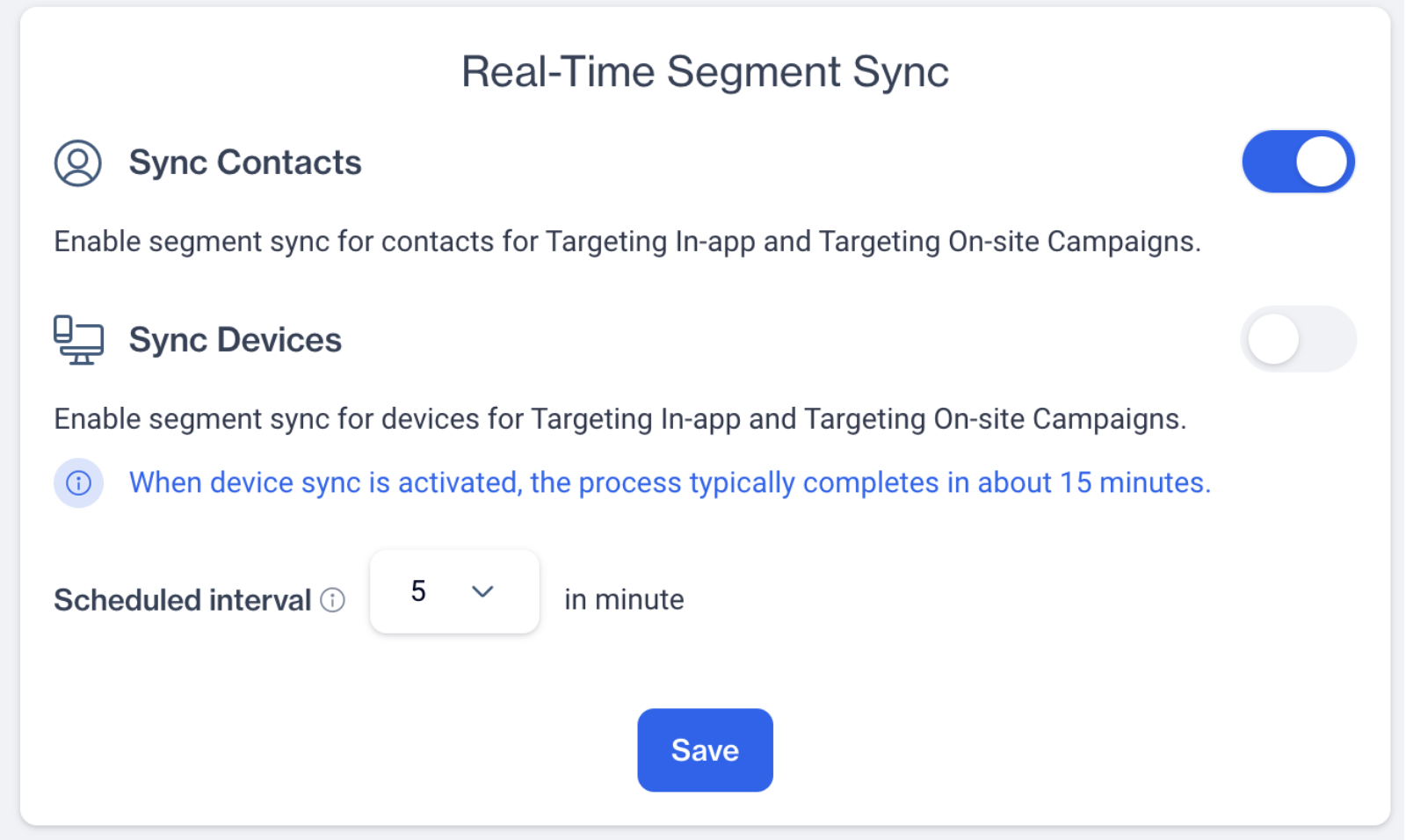
Real-Time Segment Sync
This feature allows users to customize the RealTime Segment Sync schedule by choosing different time units for the sync interval. This flexibility ensures that syncs can be tailored to the specific needs of different campaigns, optimizing performance and resource use.
Related Articles
Segment Shaper
Segment Shaper is a powerful new feature that enables you to create audience segments effortlessly using natural language prompts. Powered by Zeki, it allows you to describe your target audience in plain language. This feature is especially helpful ...Segment
How to create segments for event tables (like shopping_cart event, order event ...)? To create segments for the event table: Navigate to Audience -> Segments -> New. Select segment type (Interactive, SQL). For Interactive Segment: Enter the segment ...Segment Snapshot
The Segment Snapshot feature simplifies the segment calculation process and enhances the user experience by providing detailed information after each calculation. Users can easily see the most recent calculation results and decide whether to ...Remote Segment
Can I connect my MS Sql database with my tables in D-engage? Yes ✔️ , you may connect your MS Sql database with the tables in Dengage via remote source connectivity. This will enable you to send as much data from your my Sql database to dengage ...RFM Segment
RFM Segment Sentences The RFM Segment Sentences feature enhances user experience by simplifying the process of creating segments based on RFM (Recency, Frequency, Monetary) criteria. Users can now locate and utilize RFM segmentation directly from the ...